
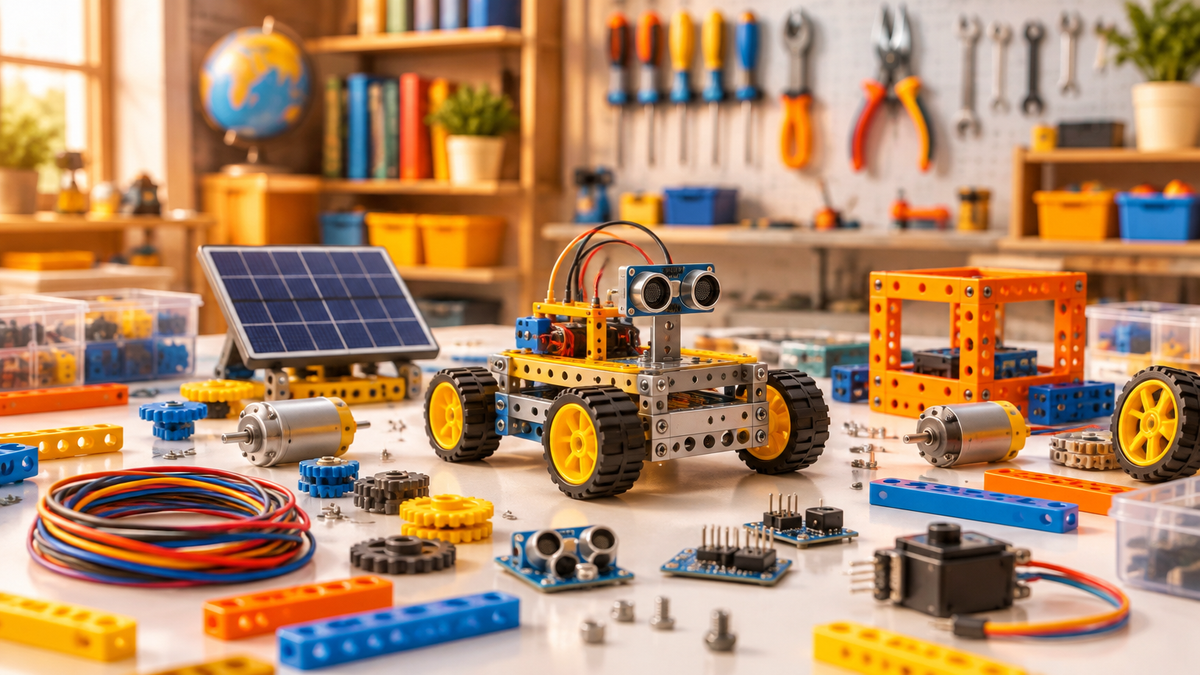
Yes, a kid can absolutely build their own robot at home, and the best build your own robot kits for kids do not require any coding experience or prior knowledge. Every kit in this guide comes with easy-to-follow instructions designed for beginners ages 6 to 12, so the challenge is in the building, not in figuring out where to start.
The kits below span four types of robots: motor-driven, solar-powered, sensor-based, and remote-controlled battle bots. Each type teaches something different, and knowing which one suits your child right now makes choosing much easier.
What a robotics kit actually includes

A robotics kit is a boxed set of parts, a motor or power source, and an instruction guide that walks a child through assembling a working robot from scratch. At the simpler end, that might mean snapping together a chassis, threading a motor, and watching a gecko-shaped robot take its first steps. At the more advanced end, it can mean wiring up sensors, programming movement sequences with cards, and watching a robot respond to its surroundings.
What sets a good beginner kit apart is that every component is included and every step is illustrated. No soldering, no sourcing parts separately, and no assumption that the builder already knows how circuits work. The learning happens during the build itself.
The four types of robot kits and what each one involves
Motor-driven robots are the most common starting point. The child assembles a mechanical body, connects a motor, and the robot moves. The GeckoBot 2.0 is a good example: kids build a robot that walks like a real gecko, learning how motors and mechanics come together through nature-inspired design. At $29.95 it is one of the more affordable first builds.
Solar-powered robots add an energy lesson to the build. The SolarFlower uses a solar panel to spin petals through a planetary gear system, with no batteries required. Builders work through over 100 pieces and discover how sunlight becomes motion. It is recommended for ages 8 and up and costs $26.95.
Sensor-based robots respond to their environment, which is where things get genuinely exciting. The My Robotic Pet: Coding Chameleon has a color sensor, an infrared sensor, and RGB LEDs. In Wild Mode it camouflages itself to match its surroundings and fires its tongue at nearby objects. In Coding Mode, colorful action cards let kids program a sequence of movements without typing a single line of code. In Pet Mode it searches for its owner and responds to being petted. Three modes, one build, at $59.95.
Remote-controlled battle robots are the step up for kids who want more complexity and some competition. The Bluetooth Robots Rumble Building Kit includes 300-plus parts and lets kids build two robots at the same time, then control them via a smartphone app over Bluetooth. Kids can build up to five different battle robots including Hammeron, Landshark, and Buzzsaw. At $119.98 it is the most involved kit in the range and covers mechanical engineering, circuitry, and robotics.

How to choose the right kit for your child right now
A practical way to think about it: match the kit to where your child is today, not where you hope they will be in six months. A first build should feel achievable in one sitting and produce something that visibly works. A more complex kit is a better fit once they have finished at least one simpler build and are asking for more.
Use this checklist before buying.
- Age fit: check the recommended age on the box, not just the general category.
- Build time: a first kit should be completable in one session so interest does not drop off mid-build.
- Power source: motor kits need batteries; solar kits need a sunny window; app-controlled kits need a compatible smartphone.
- Modes and replayability: kits with multiple modes or adjustable designs give more reasons to come back to them.
- Coding optional or required: the kits above use card-based or app-based programming, so no typing is needed.
A first build, then a next build: one example

For a hypothetical example: a 9-year-old who has never built a robot before would be well placed to start with the GeckoBot 2.0. The build introduces motors, mechanical movement, and biomimicry without any programming. Once that is done and working, the Coding Chameleon is a natural step up: it adds sensors and a card-based coding system, so the child is still building by hand but now programming the robot's behaviour as well. If competition is what motivates them, the Robots Rumble kit follows as a third stage, adding Bluetooth control and the chance to design and battle two robots at once.
That progression from motor-driven to sensor-based to remote-controlled reflects a genuine increase in complexity, and each kit builds on what came before without requiring a leap in prior knowledge.
Best Build Your Own Robot Kits for Kids: A Beginner's Guide for Ages 6 to 12
What is the best robotics kit for beginners?
For a true beginner with no prior experience, a motor-driven kit with clear illustrated instructions is the most reliable starting point. The GeckoBot 2.0 fits that description: it has one motor, a mechanical walking mechanism inspired by a real gecko, and a straightforward build. The SolarFlower is another strong beginner option, particularly for a child who is more drawn to making something beautiful than to making something move fast. Both are under $30.
What are robotics kits?
Robotics kits are packaged sets of parts that let someone build a working robot from scratch. They typically include a frame or body, a motor or energy source, connecting hardware, and a guide. The robot performs a specific function once built: walking, spinning, sensing colour, firing a tongue, or battling another robot. Better kits also include educational material explaining the engineering and science behind what the robot does.
Can a kid make a robot?
Yes. Every kit described here is designed specifically for children ages 6 to 12 with no coding or electronics background. The instructions are written for beginners, and the parts are pre-cut or pre-formed so no specialist tools are needed. Brian R., a parent, noted that his kids have been playing with these toys non-stop, and Chris H. said it is fun for him too, seeing how things work. That is a fair description of how these builds tend to go: the child builds it, the adult gets curious too.
Kids build a robot kit: what to expect on build day
Most single-motor kits like the GeckoBot 2.0 can be assembled in one sitting. More complex kits like the Coding Chameleon or the Robots Rumble set may take longer, especially if the child wants to explore all available modes. Clear a flat workspace, check the battery requirements beforehand, and let the child lead the build with a grown-up nearby for the fiddlier steps. The instruction guide is designed so kids can follow it independently, but having someone to talk through the engineering with makes the session richer.
All kits in the robotics collection at Rubber Ducky Dojo come with 30-day returns and free shipping on orders over $75.


Share:
How Does a Water Rocket Work? The Science Kids Can Test in the Backyard
What Are STEM Toys for Kids? What They Teach and How to Spot Real Ones